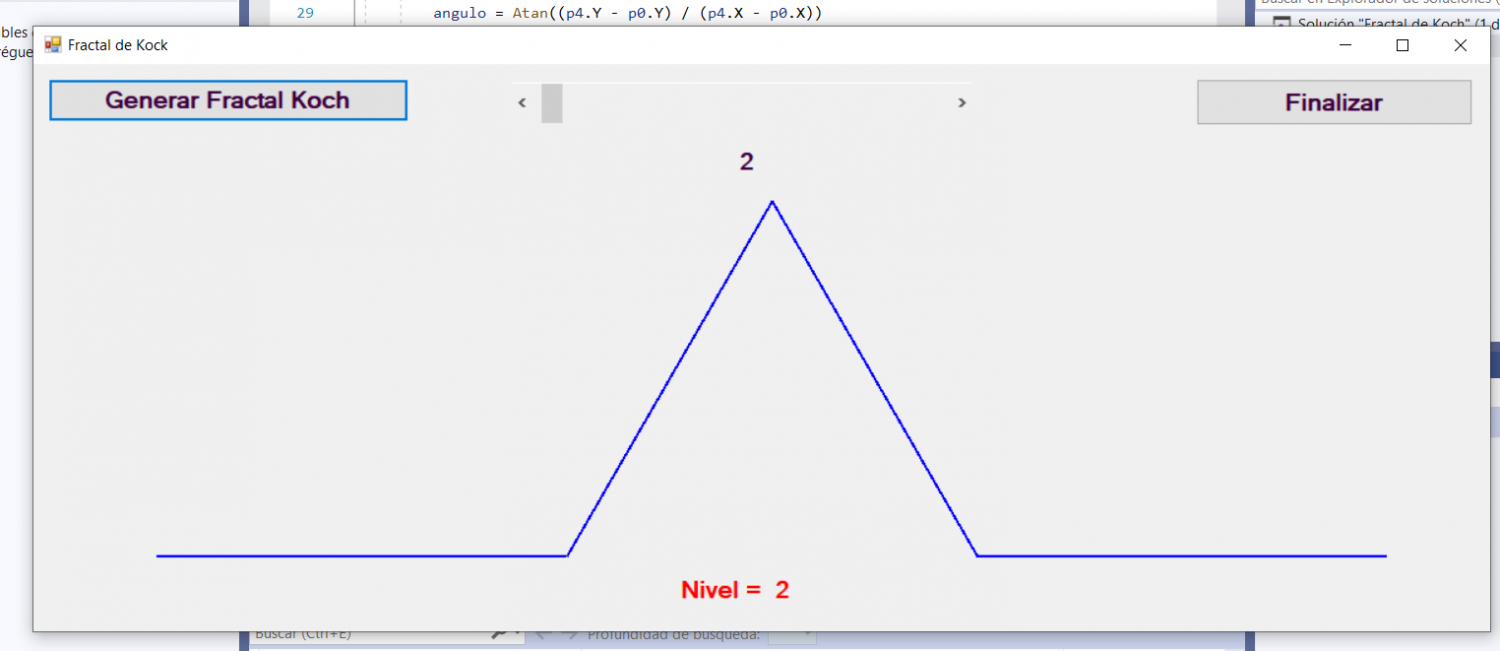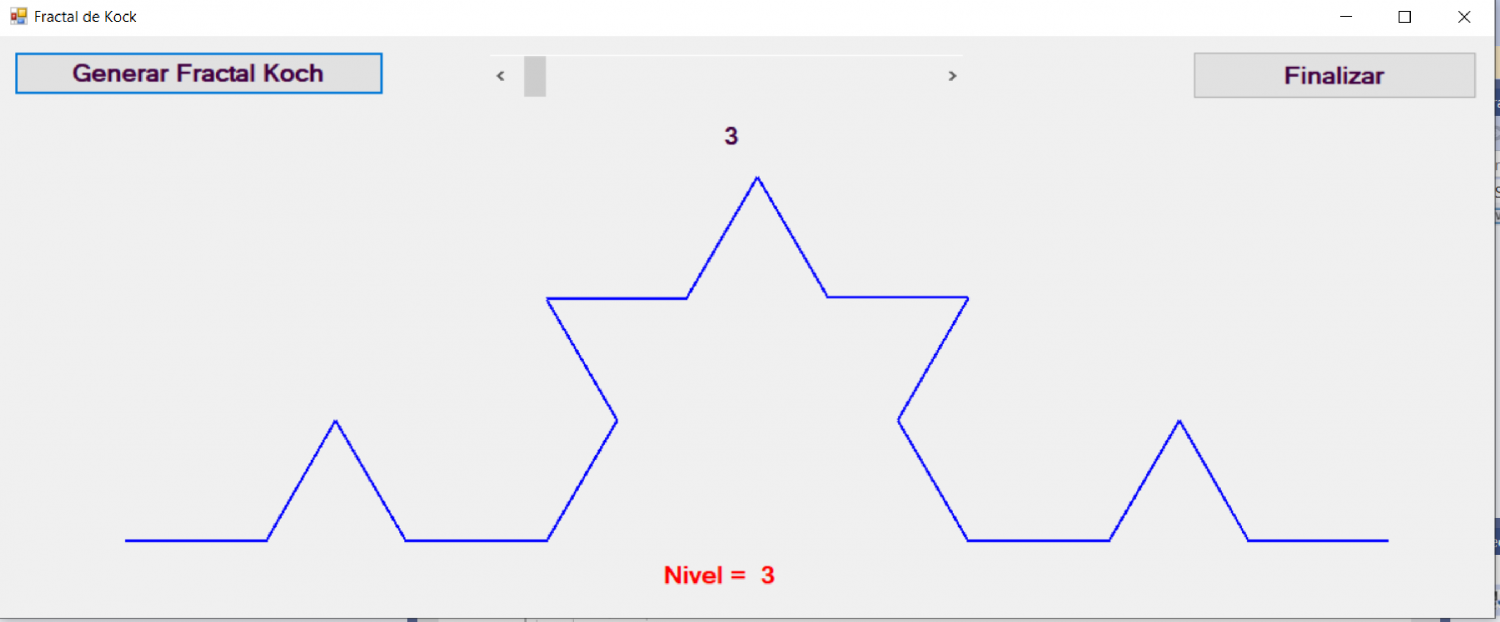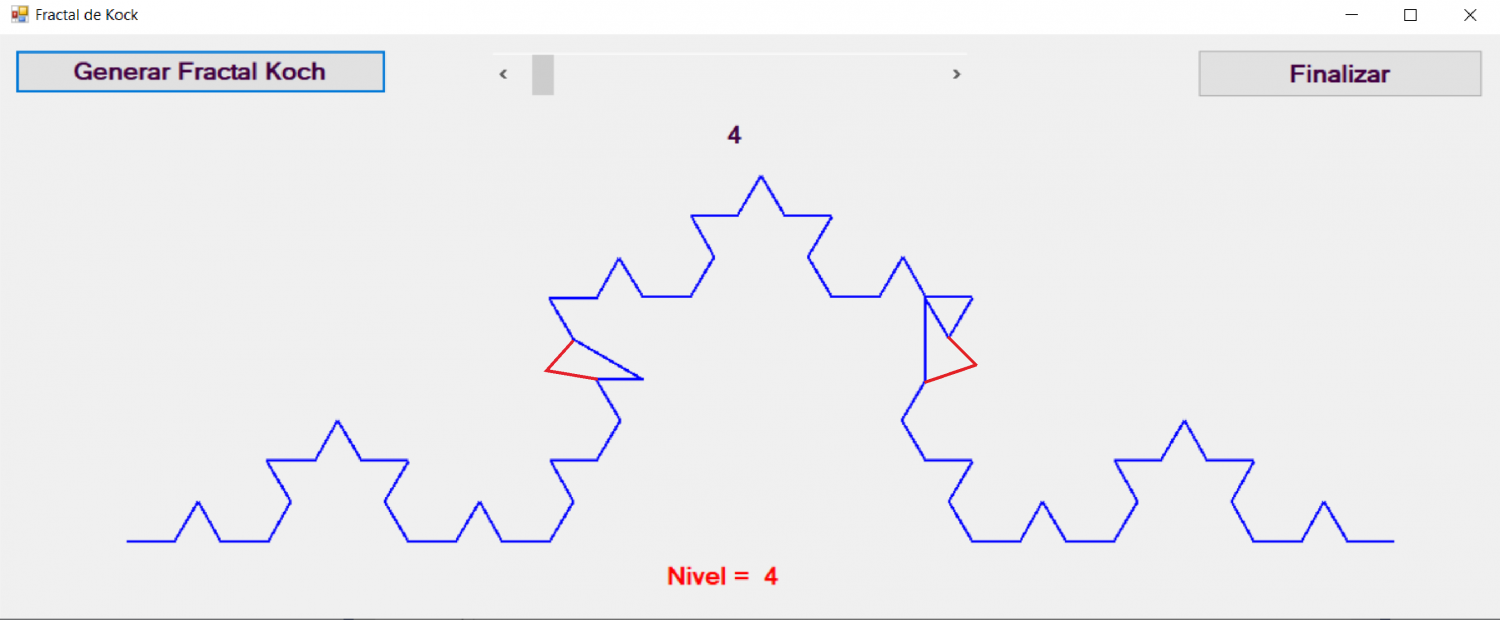
Fractal VonKoch
Publicado por José (2 intervenciones) el 02/09/2025 12:08:30
Imports Microsoft.VisualBasic
Imports System
Imports System.Windows.Forms
Imports System.Drawing
Imports System.Drawing.Printing
Imports System.Math
Public Class Form1
Private Sub Form1_Load(sender As Object, e As EventArgs) Handles MyBase.Load
Me.Width = 1200
Me.Height = 500
End Sub
Private Sub BtnKoch_Click(sender As Object, e As EventArgs) Handles BtnKoch.Click
Dim nivel As Integer
nivel = HScrollBarNivel.Value - 1
Dim p0 As New Point(100, 400)
Dim p4 As New Point(1100, 400)
VonKoch(p0, p4, nivel)
End Sub
Private Sub VonKoch(p0, p4, nivel)
Dim i As Integer
Dim ltotal As Single
Dim l As Single
Dim angulo As Single
ltotal = Sqrt((p4.Y - p0.Y) * (p4.Y - p0.Y) + (p4.X - p0.X) * (p4.X - p0.X))
l = ltotal / 3
angulo = Atan((p4.Y - p0.Y) / (p4.X - p0.X))
Dim p1 As New Point(p0.X + ltotal / 3, p0.Y + (p4.Y - p0.Y) / 3)
Dim p2 As New Point(p1.X + l * Cos(angulo + PI / 3), p1.Y - l * Sin(angulo + PI / 3))
Dim p3 As New Point(p0.X + 2 * ltotal / 3, p0.Y + 2 * (p4.Y - p0.Y) / 3)
Dim p(4) As Point
p(0) = p0
p(1) = p1
p(2) = p2
p(3) = p3
p(4) = p4
Dim mypen As Pen
mypen = New Pen(Drawing.Color.Blue, 2)
Dim mygraphics As Graphics = Me.CreateGraphics
Dim mispuntos As Point() = {p0, p1, p2, p3, p4}
For i = 0 To 3
If nivel <= 1 Then
mygraphics.DrawLine(mypen, p0, p4)
Else
VonKoch(p(i), p(i + 1), nivel - 1)
End If
Next
End Sub
Private Sub HScrollBarNivel_Scroll(sender As Object, e As ScrollEventArgs) Handles HScrollBarNivel.Scroll
Dim nivel As Integer
nivel = HScrollBarNivel.Value - 1
LabelNivel.Text = "Nivel = " & Str(nivel)
Label1.Text = Str(nivel)
End Sub
Private Sub BtnFin_Click(sender As Object, e As EventArgs) Handles BtnFin.Click
End
End Sub
End Class
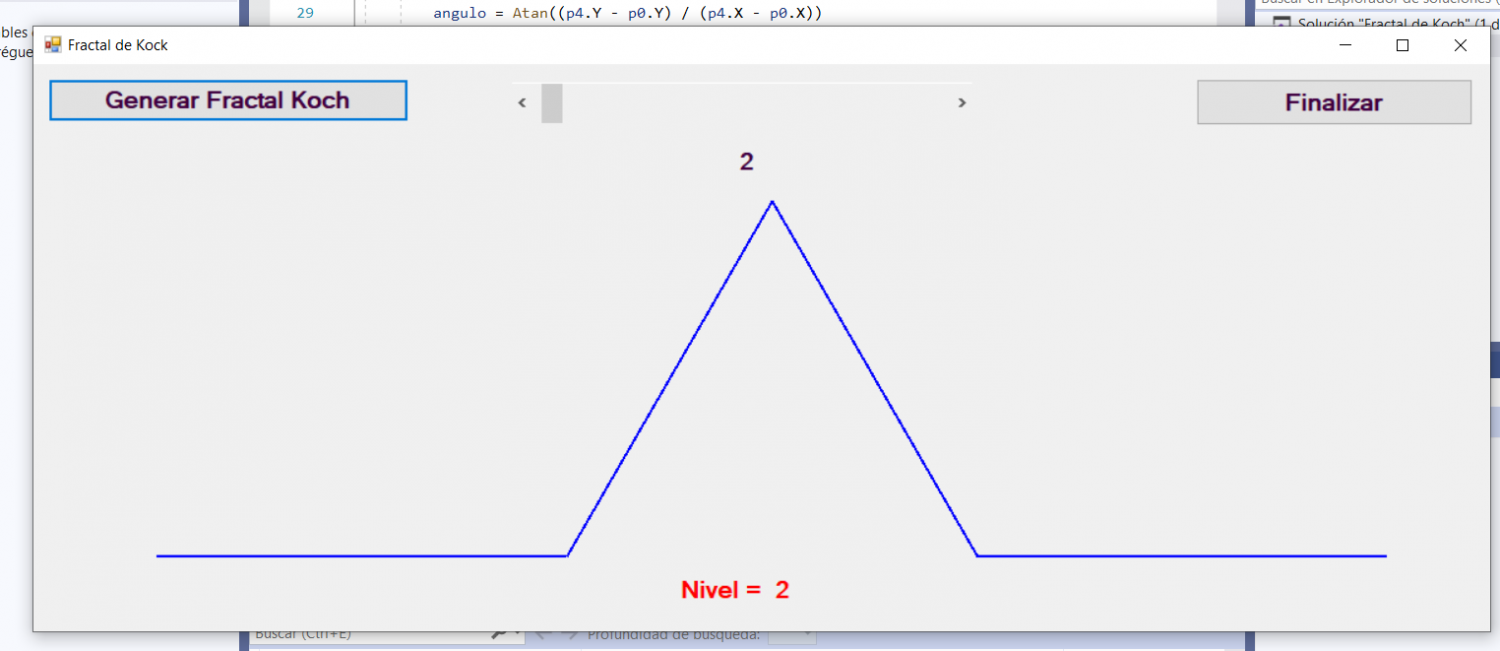
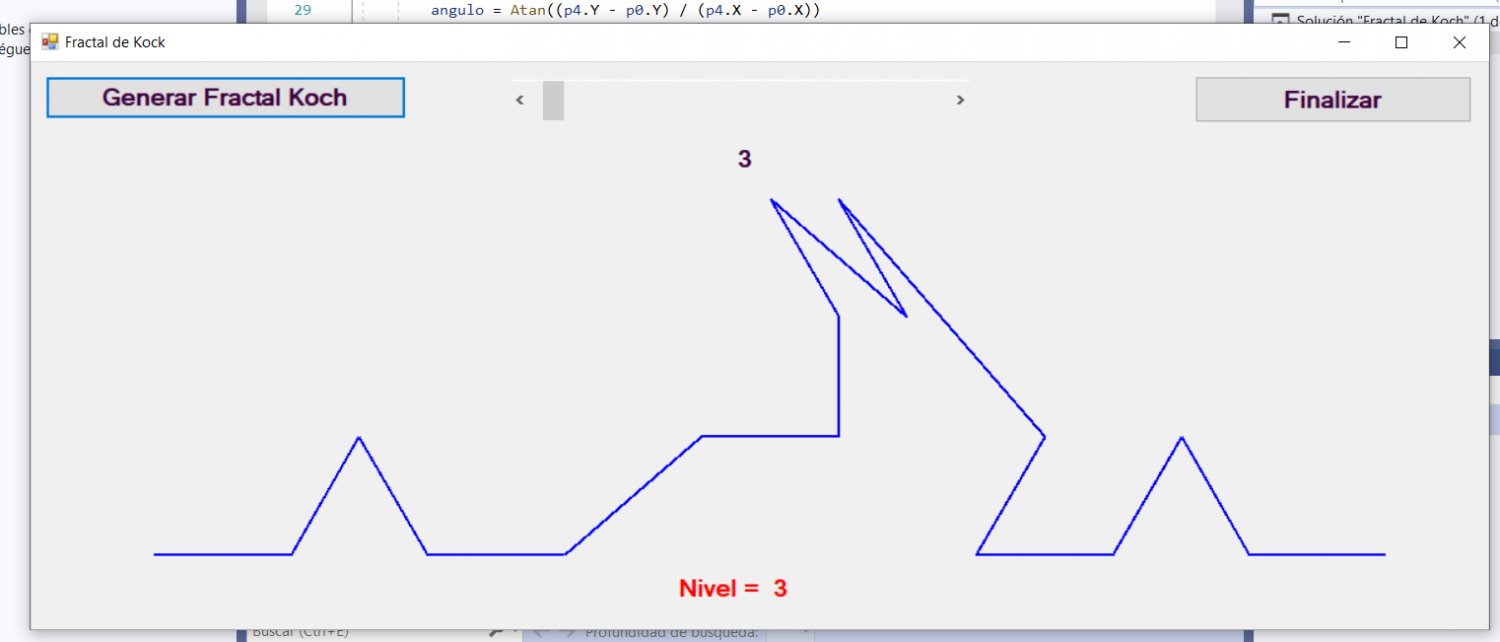
Imports System
Imports System.Windows.Forms
Imports System.Drawing
Imports System.Drawing.Printing
Imports System.Math
Public Class Form1
Private Sub Form1_Load(sender As Object, e As EventArgs) Handles MyBase.Load
Me.Width = 1200
Me.Height = 500
End Sub
Private Sub BtnKoch_Click(sender As Object, e As EventArgs) Handles BtnKoch.Click
Dim nivel As Integer
nivel = HScrollBarNivel.Value - 1
Dim p0 As New Point(100, 400)
Dim p4 As New Point(1100, 400)
VonKoch(p0, p4, nivel)
End Sub
Private Sub VonKoch(p0, p4, nivel)
Dim i As Integer
Dim ltotal As Single
Dim l As Single
Dim angulo As Single
ltotal = Sqrt((p4.Y - p0.Y) * (p4.Y - p0.Y) + (p4.X - p0.X) * (p4.X - p0.X))
l = ltotal / 3
angulo = Atan((p4.Y - p0.Y) / (p4.X - p0.X))
Dim p1 As New Point(p0.X + ltotal / 3, p0.Y + (p4.Y - p0.Y) / 3)
Dim p2 As New Point(p1.X + l * Cos(angulo + PI / 3), p1.Y - l * Sin(angulo + PI / 3))
Dim p3 As New Point(p0.X + 2 * ltotal / 3, p0.Y + 2 * (p4.Y - p0.Y) / 3)
Dim p(4) As Point
p(0) = p0
p(1) = p1
p(2) = p2
p(3) = p3
p(4) = p4
Dim mypen As Pen
mypen = New Pen(Drawing.Color.Blue, 2)
Dim mygraphics As Graphics = Me.CreateGraphics
Dim mispuntos As Point() = {p0, p1, p2, p3, p4}
For i = 0 To 3
If nivel <= 1 Then
mygraphics.DrawLine(mypen, p0, p4)
Else
VonKoch(p(i), p(i + 1), nivel - 1)
End If
Next
End Sub
Private Sub HScrollBarNivel_Scroll(sender As Object, e As ScrollEventArgs) Handles HScrollBarNivel.Scroll
Dim nivel As Integer
nivel = HScrollBarNivel.Value - 1
LabelNivel.Text = "Nivel = " & Str(nivel)
Label1.Text = Str(nivel)
End Sub
Private Sub BtnFin_Click(sender As Object, e As EventArgs) Handles BtnFin.Click
End
End Sub
End Class
Valora esta pregunta

0